The usual framing: "give an agent a batch of research tasks and it grinds
through them one at a time." A good orchestrator doesn't. It splits the batch
into independent questions, runs them side by side, and hands you the answers.
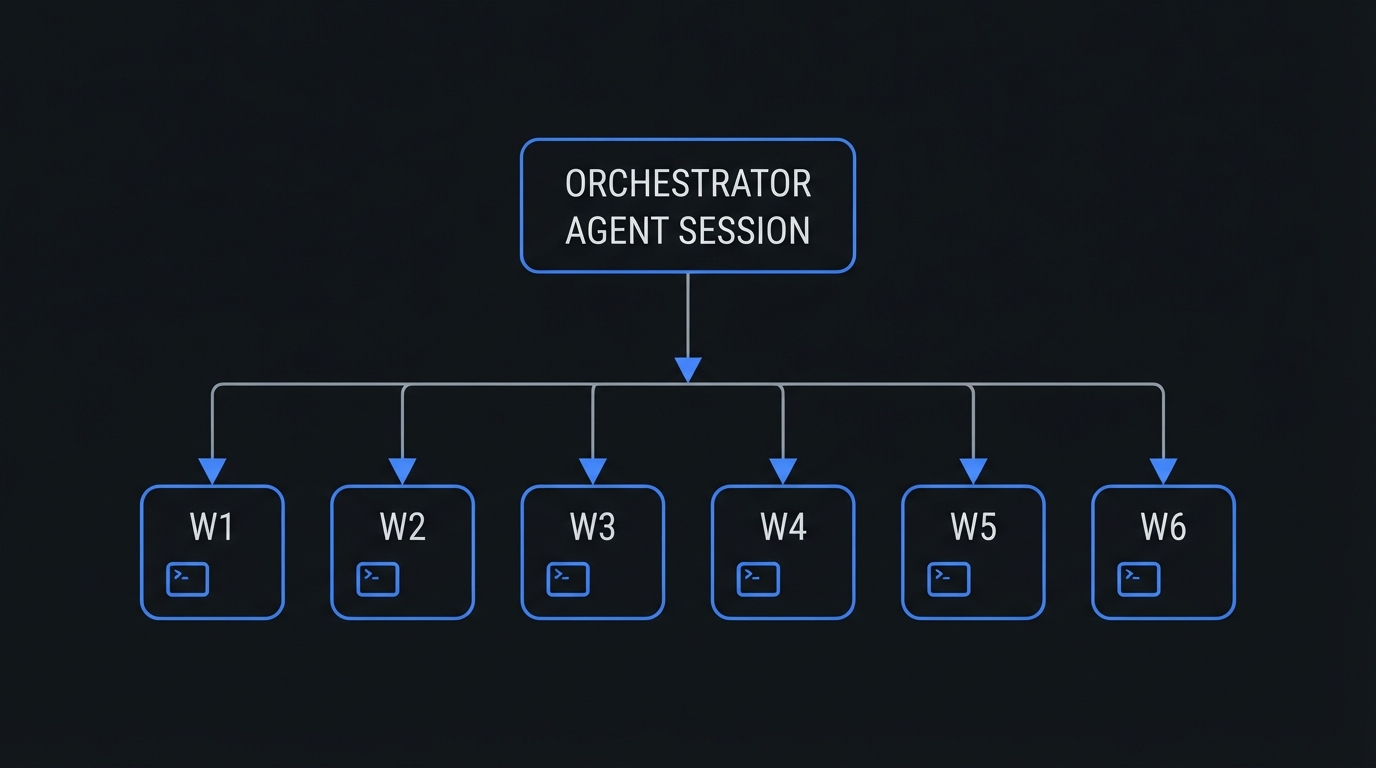
Spectral's session_fanout tool does exactly that — one call fans out up to
20 self-contained prompts into real, persistent agent sessions that run in
parallel.
Why in-process parallelism wasn't enough
Spectral already had a way to run agents in parallel: the subagent tool's
parallel mode. It works, but it's in-process. Subagents run inside the calling
session, keep no persisted history, never show up in the Studio session list,
and top out at 8 tasks / 4 threads. For a real batch — say a gap analysis of
20 well-described tasks against a codebase — that's a straitjacket.
session_fanout takes the opposite approach: each task is a first-class
session in the same project, with its own SQLite history, its own entry in the
Studio sidebar, and its own autonomous run. Fire-and-forget by design.
One tool, one call, N real sessions
The orchestrating agent calls the tool with a list of
{ key, title, prompt } tasks and an optional maxConcurrent. In response it
gets the run id and the created sessionIds — and that's it. There's no
progress API and no result collection. Each worker writes its final report as
the last message of its own session, and you read the results where you already
read every other session.
That's a deliberate trade-off. The orchestrator doesn't busy-poll twenty
children; it spawns them and gets out of the way. The moment a task is accepted,
its session record is written to SQLite, so it appears in the session list with
a [F1] title prefix before the first prompt turn even starts.
How it actually runs
The work happens through the same SessionStreamManager and SessionStore
that host every other Spectral session — no new tables, no new transport.
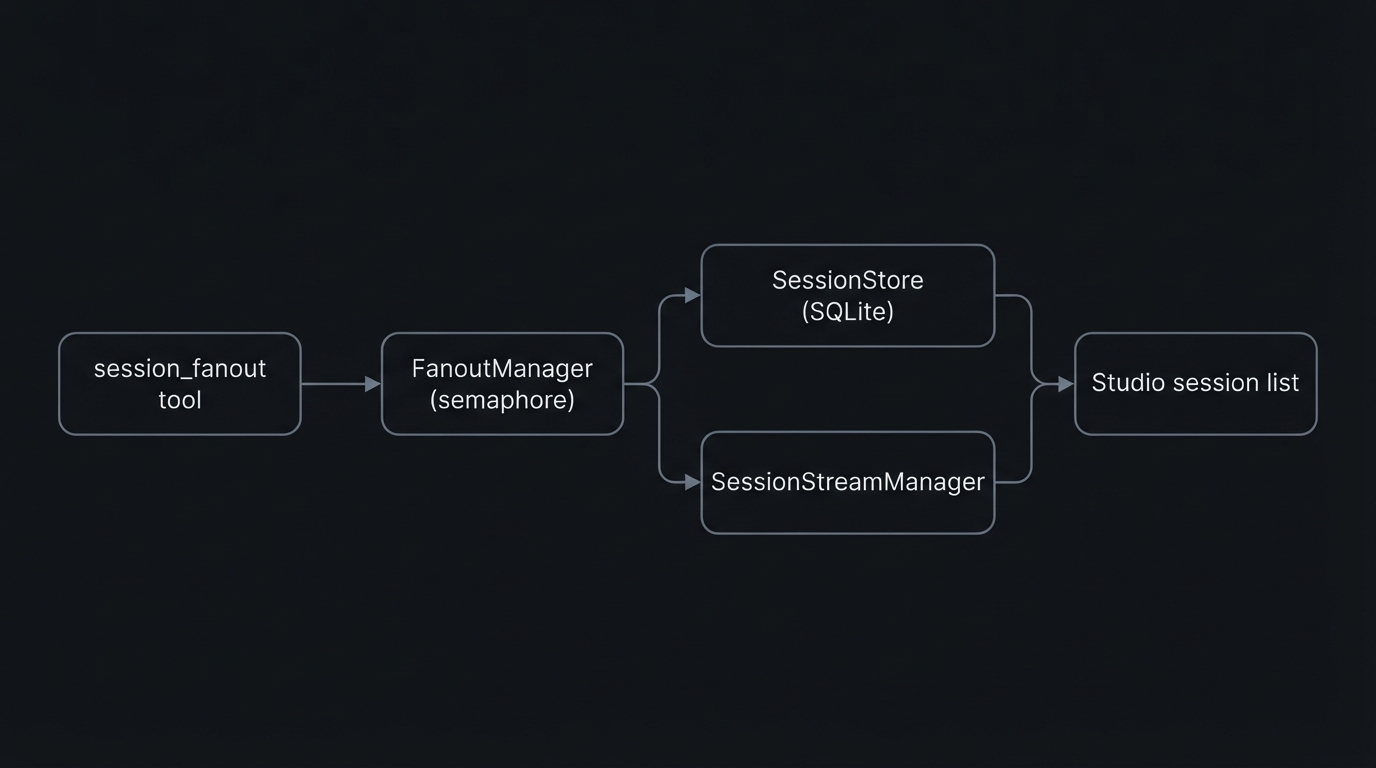
A small FanoutManager singleton owns the run: it clamps concurrency, creates
each session record up front, then feeds prompts through a semaphore — four
workers by default, hard cap of eight. Two details keep the UX honest:
- Immediate persistence. A worker's task prompt is written to the store the
instant the session is attached, then the prompt is sent with
skipPersistence— so a queued session never looks empty in Studio while its bootstrap bridge is still spinning up. - Live visibility. Each created session publishes a
session_createdmeta-event on the same channel the REST dispatcher uses, so connected UIs see the new worker appear without a manual refresh.
Guardrails, not anarchy
Parallel agents in one project are a footgun if you let them be, so the tool is gated at the source:
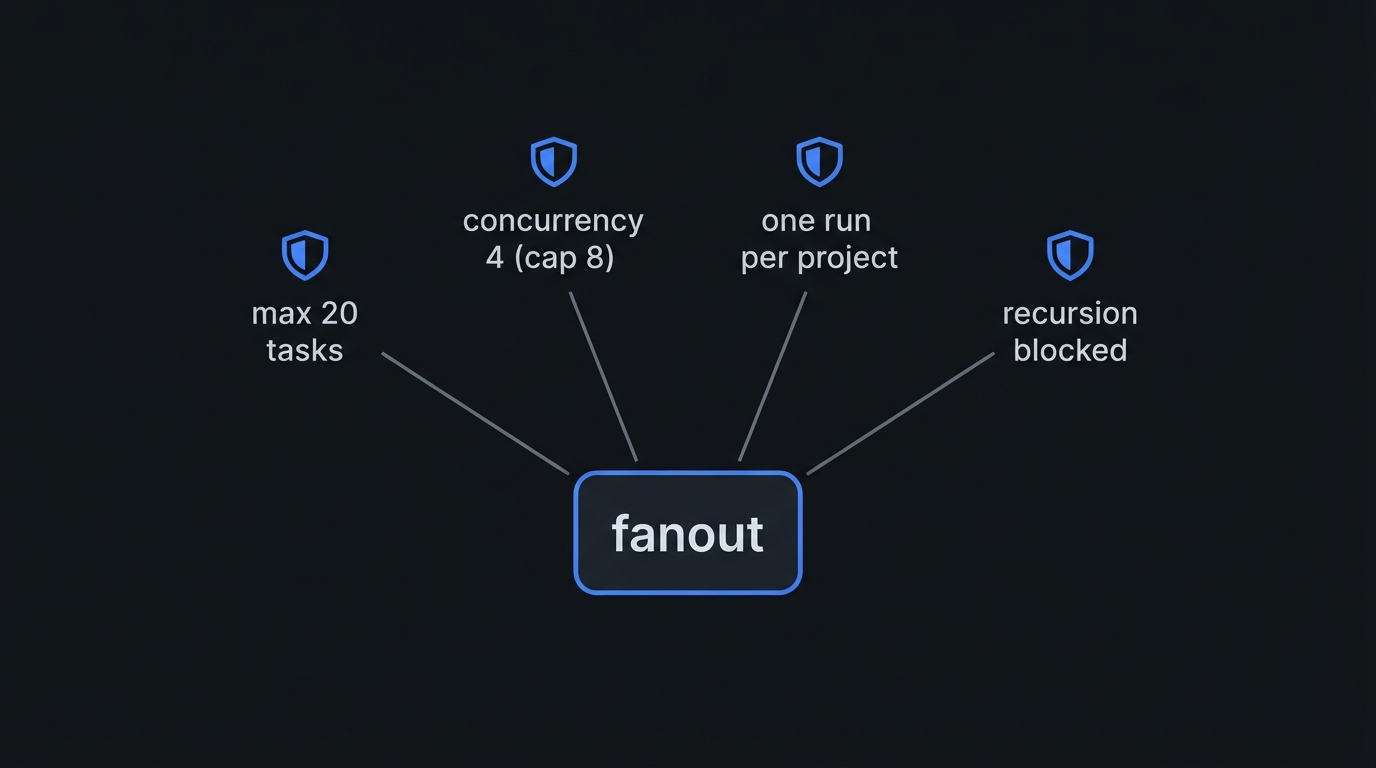
- 20-task hard cap per call.
- Concurrency semaphore — 4 by default, clamped to a hard cap of 8.
- One active run per project — a second fanout while workers are still live is refused with a message.
- Recursion blocked — worker sessions can't spawn further fanouts, enforced
both at tool registration and again inside
execute. - Sanitization — duplicate prompts are deduped, and prompt/title/key lengths are capped.
When to reach for it
session_fanout is intentionally not the default. It's for large batches
of genuinely independent research or analysis — gap analysis, multi-file
audits, parallel investigations. It is not for:
- a single task (that's the current session),
- quick lookups you can do yourself with
grep/read, - code edits in parallel — worker sessions share the same project with no coordination, so concurrent writes are exactly the hazard you think they are.
The rule encoded in the tool's own guidelines: prefer doing the work in the
current session, or subagent when you need results returned to you. Reach for
the fanout only when the batch is big enough that parallelism is the whole point.
Takeaways if you're building agent orchestration
- Persistence is what makes parallelism visible. In-process workers are cheap and invisible; real sessions show up, keep history, and can be resumed.
- Fire-and-forget is a feature. Don't make the orchestrator poll children — let each worker report into its own session.
- Gate it at the source. Caps, semaphores, and recursion blocks are cheap to add and expensive to discover you skipped.
- Make the negative space explicit. The tool description says what not to use it for, which is half of using it safely.
A few hundred lines, one singleton, one tool — and a batch of twenty tasks turns from a queue into a fan.